
Description
Hello Folks
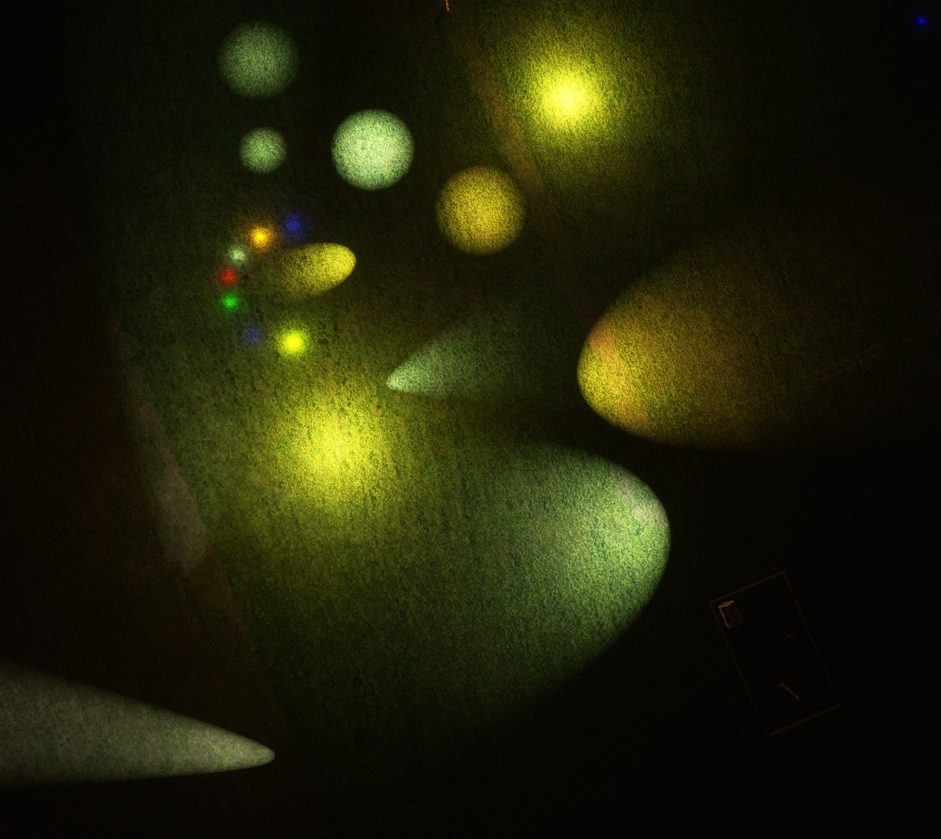
I am still working on my EDHK Kiel-Holtenau scenery and about this I am continuously creating new content. I want to share this content with you folks. Its my EDHK Lights & Objects Developers Pack, an usable Asset-Pack. It contains many different light objects (3D modeled & non-modeled) and many further 3D modeled objects. Everything is created by myself or by Elro/Roland. So if you are a scenery or airport creator, feel free to use the content within your freeware/uncommercial projects for MSFS 2020. About this, please take a closer look to the included "Disclaimer.txt".
This package is no usable MSFS 2020 scenery, its only a Asset-Pack for developing sceneries or airports!
The current pack includes 436 usable objects:
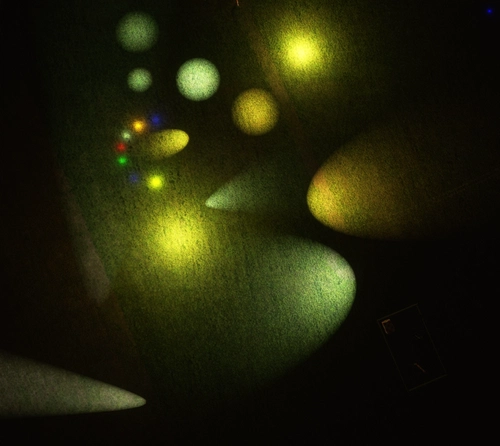
- Light Points with different strength and colors
- Flashing Light Points with different strength and colors
- Spot Lights (45°/110°) with different strength and colors
- Rotating Spot Lights (for lighthouses) with different strength
- Modeled Obstacle Lights with and without pillar
- Modeled blinking orange Runway Guard Light inlay (Scale down to 0.245 for stock SDK Runway Guard)
- Modleed Taxiway Lights with different strength
- A little 3D model with a welding flash effect
- Some modeled ILS localizer Antenna
- Some modeled Radio Antenna
- Modeled 4 modeled Lighthouses
- Modeled 2 Glideslope Antenna
- Modeled Helipad yellow FOTA lights
- Modeled Helipad white FOTA lights
- Modeled Helipad green TLOF lights
- Modeled Helipad white Flood light
- Some invisible meshes (in different sizes), these make it possible to land on non solid surfaces/models/objects
- Modeled Outdoor Lamps
- Modeled Airport Mast with Mobilphone Antenna
- Modeled small military Radiotower
- 4 modeled industrial Chimneys
- 25 modleed automatic & manual security barriers (3m to 6m)
- 10 modeled plastic & concrete barriers
- 1 modeled delineators white & black
- A set of performance friendly modeled Beach Chairs (thx to Elro/Roland)
- 3 different maritme Navigation Buoys with functional, blinking lights (thx to Elro/Roland)
- A larger set of performance friendly modeled Motor- and Sailboats (thx to Elro/Roland)
You find a full list with object names in the "4_Package_inventory_for_EDHK_Dev-Pack.txt", that is included in the ZiP-archive, too. You can use the list as short reference for the Object editor.
A lot of my lights dont use the Day/Nightcycle because in cloudy/foggy/rainy enviroment its realistic to have them turned on, too. Every light has an extra plane underlay for a much higher visibility at night/distance. You have to scale some of the 3D models up or down to get the right size you need for your scenery, I choose the larger scale for a better/easier placement. As example, my blinking Runway Guard 10W light inlays, scale them down to nearly 0.245 to fit in the stock SDK Runway Guard Light Object. Furthermore, sometimes its very usefull to add a red point light above a modeled obstacle light.
So, if you need a light for your lighthouse, modeled 3D objects or obstacle lights and much more, then you can find a lot of useful stuff within this package. I will continously add more stuff to the Asset-Pack. You find a "Changelog & Install" text file inside the Zip file.
If you want to find the Pack content in the objects-list of the SDK scenery editor, simply type "EDHK" into the objects-console. All my objects using "EDHK" as prefix. Furthermore you can simply type things like "FOTA", "Heli", "Lighthouse","50w", "150W", "red", "green", "pink", "spot", "flood", "cold_white", "warm_white", "flash", "obstacle", "rotation", "ILS, "Antenne", "taxi", "guard" and many more in the text field to find what you need.
IMPORTANT NOTE:
PLEASE, BE SURE THAT YOU DELETE ALL PREVIOUS VERSIONS OF THE EDHK LIGHTS & OBJECTS DEVELOPMENT PACK BEFORE YOU INSTALL THE NEWER VERSION. SINCE VERSION 1.0.7 THE FOLDER GOT A NEW NAME WITH AN ACTUAL NUMBER OF VERSION!
"mrmo-modellib-edhk-devpack" = old / alt
"EDHK_Lights_and_Objects_Dev-Pack_1.X.X_by_MrMo" = new / neu
ATTENTION!
You don´t need my EDHK Kiel-Holtenau freeware scenery to use the stuff inside this developers Asset-Package!
I'm always open to suggestions for improvement, praise and criticism. If you have any question or something else, write a PM or join my Discord EDHK support server for MSFS2020.
You can find it here: EDHK Discord Support Server
If you like my work, then give it an appropriate rating, I would be pleased when you drop it a 5 Star. Thanks! :)
I hope you will enjoy my EDHK Light & Objects Developers Pack and your feedback is always welcome! ;)
Wish you all fantastic flights & keep healthy,
MrMo
EDHK Support via Discord:
https://discord.gg/XmP9w23
Flightsim.to:
https://flightsim.to/profile/MrMo
FS-Developer:
https://www.fsdeveloper.com/forum/members/mr-mo.22877/
Do you know already my other MSFS 2020 projects?
If not, you can find them here:
EDHK Kiel-Holtenau
EDHN Verkehrslandeplatz Neumuenster
EDHB Sonderflugplatz Grube
ED75 Sonderlandeplatz Fehmarn-Neujellingsdorf DE-0359
EDXT Flugplatz Sierksdorf / Hof-Altona
Frequently Asked Questions
EDHK Lights & Objects Developers Pack (Asset-Pack)
Enhance your MSFS 2020 development with the EDHK Lights & Objects Developers Pack. This asset-pack includes a variety of light objects, 3D modeled elements, and more for scenery and airport creators to utilize in freeware projects. Discover 436 objects like unique light points, obstacle lights, helipad lights, and maritime buoys, along with installation instructions and a changelog for updates. Designed for realistic visibility in various weather conditions, this pack offers a versatile selection to elevate your sim-building experience.


Supporters

User Reviews
42 reviews
Version History
MSFS 2020 - EDHK Lights & Objects Pack Dev-Pack v1.0.8 (8. July 2021) ══════════════════════════════════════════ Changelog v1.0.8: ■ ADDED - 10 different "dark_orange_light_point_EDHK" (5/10/15/20/25/35/50/75/100/150 Watt) ■ ADDED - EDHK_Concrete_red-white_Barrier ■ ADDED - EDHK_Concrete_black-yellow_Barrier ■ ADDED - EDHK_Concrete_yellow-black_Barrier ■ ADDED - EDHK_Plastic_red-white_Barrier ■ ADDED - EDHK_Plastic_black-yellow_Barrier ■ ADDED - EDHK_Plastic_yellow-black_Barrier ■ ADDED - EDHK_Plastic_red-white_vertical_marker ■ ADDED - EDHK_Plastic_1_2_Barrier ■ ADDED - EDHK_Plastic_Slash_Barrier ■ ADDED - EDHK_Delineators_white-black_Typ_1 ■ ADDED - EDHK_3m_Automatic_Barrier_closed_right_side_Type_1 ■ ADDED - EDHK_3m_Automatic_Barrier_open_right_side_Type_1 ■ ADDED - EDHK_3m_Automatic_Barrier_closed_left_side_Type_1 ■ ADDED - EDHK_3m_Automatic_Barrier_open_left_side_Type_1 ■ ADDED - EDHK_4m_Automatic_Barrier_closed_left_side_Type_1 ■ ADDED - EDHK_4m_Automatic_Barrier_open_left_side_Type_1 ■ ADDED - EDHK_4m_Automatic_Barrier_closed_right_side_Type_1 ■ ADDED - EDHK_4m_Automatic_Barrier_open_right_side_Type_1 ■ ADDED - EDHK_5m_Automatic_Barrier_closed_left_side_Type_1 ■ ADDED - EDHK_5m_Automatic_Barrier_open_left_side_Type_1 ■ ADDED - EDHK_5m_Automatic_Barrier_closed_right_side_Type_1 ■ ADDED - EDHK_5m_Automatic_Barrier_open_right_side_Type_1 ■ ADDED - EDHK_3m_Barrier_manual_open_to_right_side_Type_1 ■ ADDED - EDHK_4m_Barrier_manual_open_to_right_side_Type_1 ■ ADDED - EDHK_5m_Barrier_manual_open_to_right_side_Type_1 ■ ADDED - EDHK_3m_Barrier_manual_open_Type_1 ■ ADDED - EDHK_3m_Barrier_manual_closed_Type_1 ■ ADDED - EDHK_4m_Barrier_manual_open_Type_1 ■ ADDED - EDHK_4m_Barrier_manual_closed_Type_1 ■ ADDED - EDHK_5m_Barrier_manual_open_Type_1 ■ ADDED - EDHK_5m_Barrier_manual_closed_Type_1 ~~~~~~~~~~~~~~~~~~~~~~~~~~~~~~~~~~~~~~~~~~~~~~~~~~~~ Known issues/bugs: xxx
Featured in Collections(4)
Tee's Fav
Always payware? Definitly not! Here you can find my favourites from flightsim.to
 Cloudsurfer744
AviPath Germany Tour 1: Leg 1
A collection of sceneries between Basel and Freiburg, which are flown through the following route: https://avipath.net/tour/23 The website is for free and there are several VFR Tours around the globe. Have fun with it!
 CrestedFox
MSFS24 Mods
Michi Mods for MSFS24
 Michi_HMTG
JHC ASSETS
LIST OF JHC SCENERY
Leuchars12Related

EDHK Kiel-Holtenau + Scenery Kiel Package
Experience the small German regional airport of EDHK Kiel-Holtenau with this custom scenery package. Discover usable helipads, POIs, and extended scenery in Kiel & its surrounding regions, including a fictitious water runway. Perfect for business travelers and athletes, this airport offers excellent accessibility and flexibility with its instrument landing system. Explore a detailed recreation of Kiel-Holtenau Airport and its vibrant surroundings in this enhanced MSFS add-on.
by MrMo
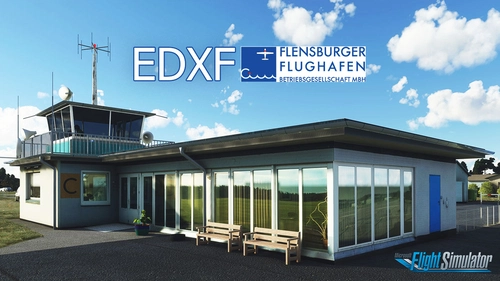
EDXF Flensburg-Schaeferhaus
Explore the most northern GA Airport in Germany with EDXF Flensburg-Schaeferhaus. This ongoing project offers 3D models, updated airport data, and seasonal variations, along with historical insights. From GA Planes to Float-Aircraft, experience the diverse aircraft types allowed at this airfield. Join the developers Discord for feedback, updates, and more projects available for free.
by MrMo
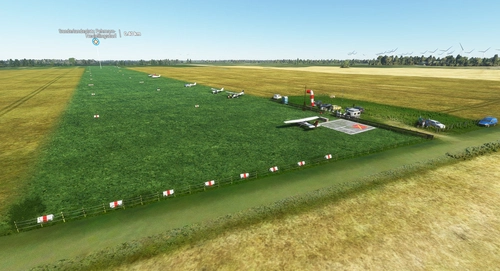
ED75 Sonderlandeplatz Fehmarn-Neujellingsdorf DE-0359
Experience the charm of a small German airfield with ED75 Sonderlandeplatz Fehmarn-Neujellingsdorf in MSFS 2020. This custom-made freeware scenery features a short grass runway and continuous updates by the creator. Join the pilot and aerodrome operator Klaus Skerra in exploring this scenic location on the island of Fehmarn.
by MrMo
EDHB Sonderflugplatz Grube
Enhance your virtual aviation experience with the addition of the EDHB Sonderflugplatz Grube in Germany. This small airfield near Grube features a short grass runway and radio contact via GRUBE INFO. Frequent updates and a nearby aviation club add to the realism of this MSFS 2020 scenery. Explore this unique location and enjoy a variety of small airport add-ons by the creator.
by MrMo
Log in to join the discussion
Log InComments(166)
6 days ago
about 8 hours ago
4 months ago
Because MSFS has a bug with airport beacon lights as they are over 100 feet in the air, I have been searching for airport beacon stationary flashing lights - one that is alternating white then white again, and also white then green.
Can you make these and add to your library?
8 months ago
9 months ago
9 months ago
9 months ago
5 months ago
7 days ago
10 months ago
10 months ago
over 1 year ago
over 1 year ago
over 1 year ago
7 months ago
over 1 year ago
over 1 year ago
almost 2 years ago
about 2 years ago
about 2 years ago
But i Love the Lights. Big THX for you. Best Regards from Austria